3 min read
Edit Image node
Generating an image again to move one object is a waste of a good image. The Edit Image node takes a picture you already have and changes only the part you point at, leaving the rest of the frame untouched. That picture no longer has to come from a generation: bring your own file, edit it, and download the result.
Two ways to bring in your own image
Editing used to start with something the canvas had generated. It now starts wherever you want it to. Pick whichever of these two routes fits what you are doing.
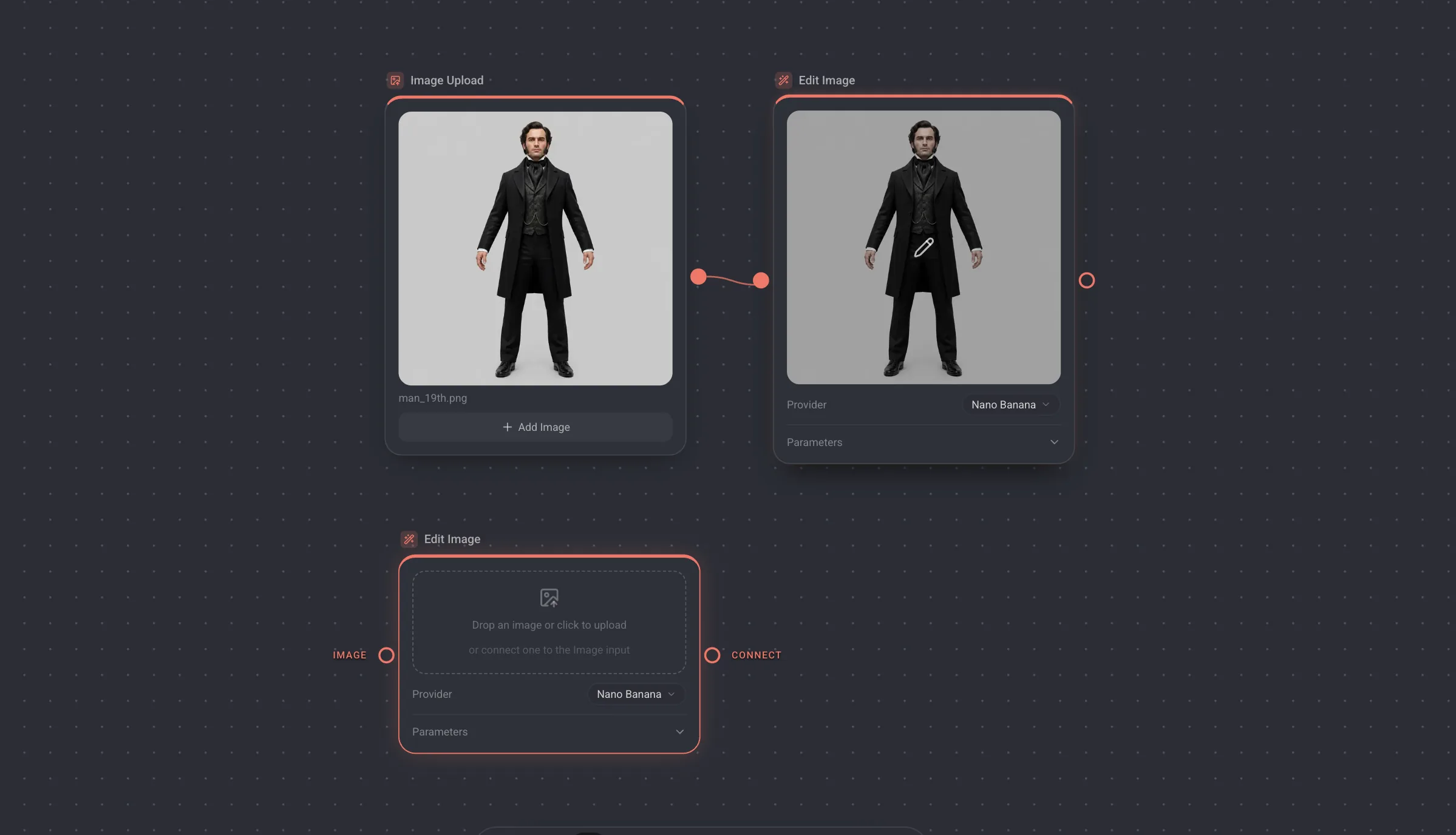
- Upload as its own node. Place an Image Upload node, add your file, and wire its output into an Edit Image node. The upload stays a separate step on the canvas, so one file can feed several edits and you keep the original in view next to every version of it.
- Upload straight onto the Edit Image node. Place an Edit Image node on its own and drop a file on it, or click to choose one. Nothing else to wire: describe the edit, send it, and download the image from the result.
Both routes run the same edit and cost the same. The first is worth it when the image feeds more of your pipeline; the second is the shortest path from a file on your machine to an edited image back on it.
How it works
- 1Give an Edit Image node one image: wire an image output into its input, or upload a file on the node itself.
- 2Open the editor on the node and write what you want changed. Short and specific beats elaborate: remove the cable on the left, make the jacket leather.
- 3Draw on the image to show where you mean. A rough mark is enough, it is a pointer rather than a mask.
- 4Send it. The result arrives on the node and can be compared against the original before you keep it, every version you generate stays reachable, and any of them can be downloaded or passed on to the next node.
Worth knowing
- You can attach up to two reference images, for a colour, a material or a shape that is easier to show than to describe.
- The input takes exactly one image. Wiring a second one swaps the connection rather than adding to it, and a node that produced several images lets you pick which one to edit.
- A connection wins over an upload. Wire an image into a node you had uploaded to and the connected source is what gets edited, so the upload area steps aside instead of competing with it.
- An edit runs on the same providers and costs the same as an image-to-image generation. Nothing is charged until you send.
- Undo inside the editor is Cmd Z, and it undoes your drawing, not the generation.