
2 min read
Your own style in Prop Variations
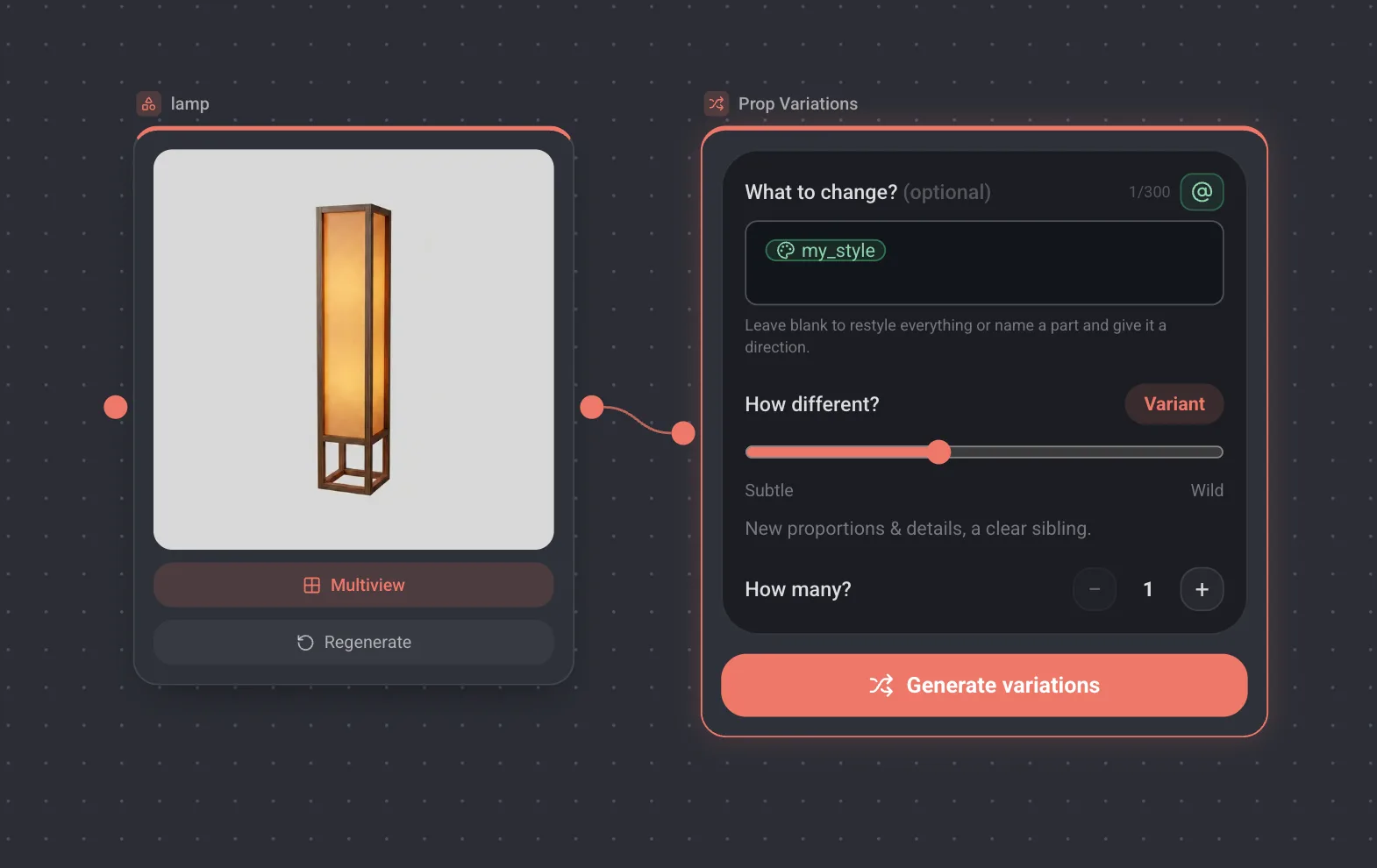
Prop Variations now reads library mentions. Type @in its direction field and pick a style or a character, and every variation is generated with that asset's reference images attached instead of a description of them.
How it works
- 1Wire a prop or a character image into a Prop Variations node.
- 2In What to change?, type @ or press the mention button, then pick a style or a character from the library. It reads the workspace library and the Lychee set, exactly like a Text Prompt does.
- 3Set How different? and how many variations to make, then press Generate variations.
A mention can stand on its own, or sit next to a direction of your own. @my_style alone restyles the whole prop, and @my_style, brass fittings keeps the style while adding the detail.
What the mention adds
- The handle is expanded into the asset's description, so the direction text says what the style actually is.
- Its reference images are attached to every variation call, labelled as a style to borrow or a character to keep. That is the part a description alone cannot do.
- The slider still decides how far a variation travels, from a recolour to a bold new form. The mention steers the direction, not the distance.
Worth knowing
- The field is optional. Left empty, the prop is varied in its own style, as before.
- Several mentions in one direction are fine, and each variation is priced the same as it was: mentioning a style costs nothing extra.
- A style you save from any image is available here the moment it lands in the library, so one look can run across props, prompts and variations.